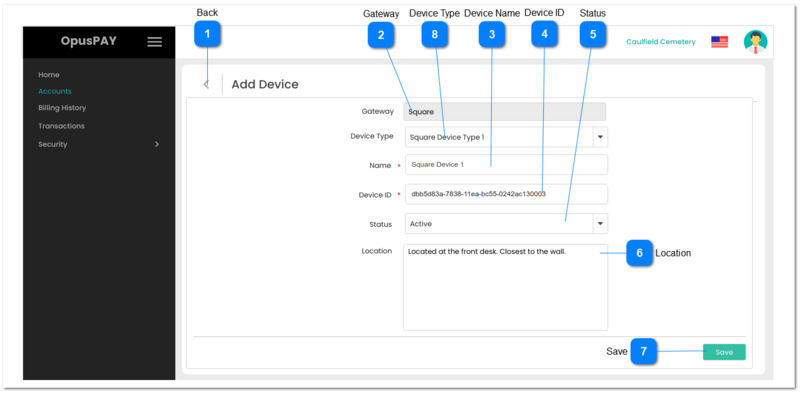
1. When clicked this should navigate the user back to the screen they arrived from:
If the user arrived at this screen from the Add Account - Enter Gateway Details - Device screen, send them back to this screen. Refer to the specification for that screen here.
If the user arrived at this screen from the Edit Account - Gateway Details - Devices screen, send them back to this screen. Refer to the specification for that screen here.
1. This will allow the user to enter the name of a new Device.
2. Device name must be unique per account. Display an inline error message if user enters a Device Name that matches an already existing Device Name for this account.
3. This should display an inline error message if the user clicks the Save button without populating this field.
Y
-
Y
255
-
2. Device Name already exists for this account. Please enter a unique Device Name.
1. Check the rules mentioned in each input element and show inline error messages for invalid / unpopulated inputs.
2. If the validation results are successful save all Device details entered.
4. Navigate the user back to the screen they arrived from:
If the user arrived at this screen from the Add Account - Enter Gateway Details - Device screen, send them back to this screen. Refer to the specification for that screen here.
If the user arrived at this screen from the Edit Account - Gateway Details - Devices screen, send them back to this screen. Refer to the specification for that screen here.