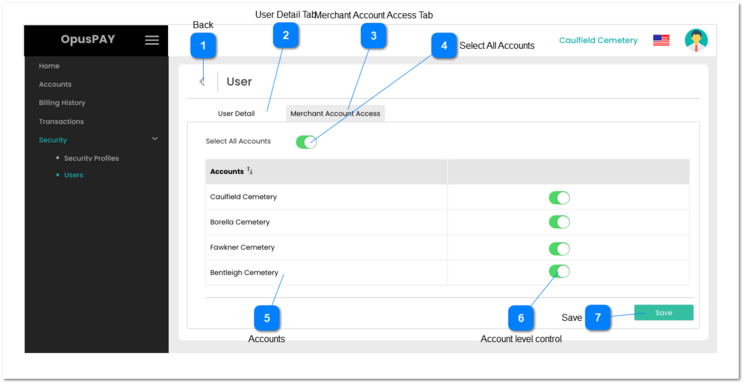
This screen allows the user to view and update user details.
Back
Type
Notes
Rules
Compulsory
Format
Edit
Size
Default
Error Message
Button
-
1. Do not save any changes made.
2. If the user has arrived to this screen from the User Detail screen then navigate the user to the User Detail screen when clicked. Refer to the specification for that screen here.
3. If the user has arrived to this screen from the View Merchant Account Access screen then navigate the user to View Merchant Account screen and do not save any changes. Refer to the specification for that screen here.
1. Check the rule mentioned in each input elements and show inline error messages for invalid inputs.
2. If all validation checks are successful then user details are saved after the user clicks this button. Display View User (Merchant Account Access) screen. Refer to the specifications for that screen here.