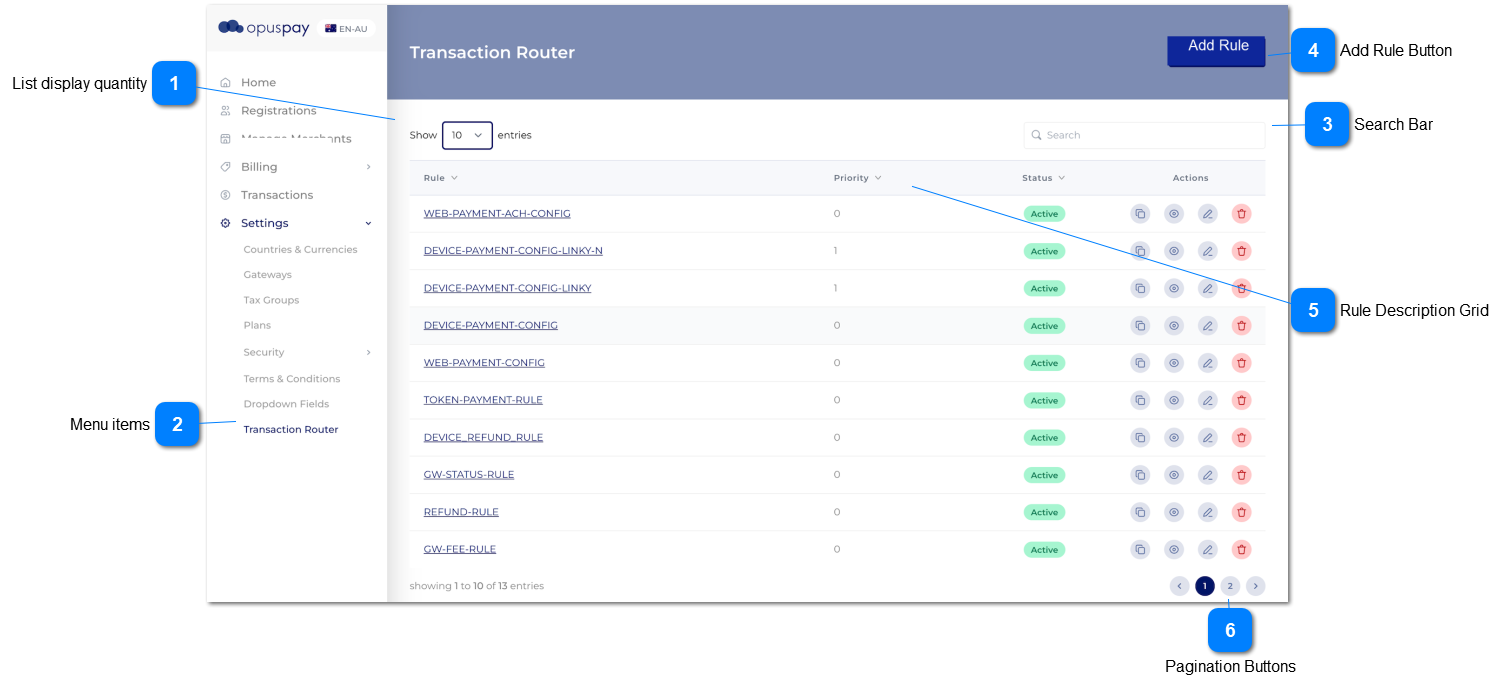
Show a list of rules that have already been defined.
 List display quantity
Select the quantity of records to display
|
Type
|
Notes
|
Rules
|
Compulsory
|
Format
|
Edit
|
Size
|
Default
|
Error Message
|
|
ComboxBox
|
|
Default list quantity display widget
|
|
|
|
|
10
|
| |
|
 Menu items
These menu items provide access to the Trnasaction Router functions
|
Type
|
Notes
|
Rules
|
Compulsory
|
Format
|
Edit
|
Size
|
Default
|
Error Message
|
|
Menu
|
|
|
-
|
Text
|
-
|
-
|
-
|
-
| |
|
 Search Bar
Allows for the search of rule definitions
|
Type
|
Notes
|
Rules
|
Compulsory
|
Format
|
Edit
|
Size
|
Default
|
Error Message
|
|
Text
|
|
-
Perform a search on the Rules Definition description field
-
Use default search rules and widgets
|
-
|
Search
|
-
|
-
|
Blank
|
-
| |
|
 Add Rule Button
|
Type
|
Notes
|
Rules
|
Compulsory
|
Format
|
Edit
|
Size
|
Default
|
Error Message
|
|
Button
|
|
1. once the user clciks on this button, 'Add Router Rule' button would be loaded.
|
-
|
Button
|
-
|
-
|
-
|
-
| |
|
 Rule Description Grid
Shows a list of all (or search filtered) rule definitions.
|
Type
|
Notes
|
Rules
|
Compulsory
|
Format
|
Edit
|
Size
|
Default
|
Error Message
|
|
Grid
|
|
Displays a list of transaction router rules were created through 'Transaction Router' rule page.
|
|
|
N
|
|
|
|
|
Column
|
Rule
|
|
|
|
|
|
|
|
|
Column
|
Priority
|
|
|
|
|
|
|
|
|
Column
|
Status
|
|
|
|
|
|
|
|
|
Column
|
Action
|
There are 4 types of actions in the grid.
1.Copy
2.View
2.Edit
4.Delete
Copy Action
Once the user clicks on copy button, then the router rule would be copied.
View Action
Once the user clicks on view button, then the router rule would be opened in view mode. (refer View Router Rule)
Edit Action
Once the user clicks on edit button, then the router rule would be opened in edit mode. (refer Edit Router Rule)
Delete Action
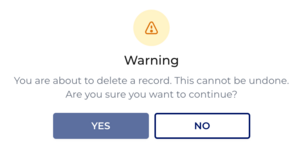
This will pop up a warning message and if the user continues by clicking Yes, then the record would be deleted.
|
|
|
|
|
|
You are about to delete a record. This cannot be undone. Are you sure you want to continue?
|
Delete Message
|
|
 Pagination Buttons
Allows for the selection of pages where the quantity of records in the system/filtered exceed those being displayed
|
Type
|
Notes
|
Rules
|
Compulsory
|
Format
|
Edit
|
Size
|
Default
|
Error Message
|
|
Button group
|
|
-
Use default pagination widget and functions
|
-
|
-
|
-
|
-
|
-
|
-
| |
|