To properly display this page you need a browser with JavaScript support.
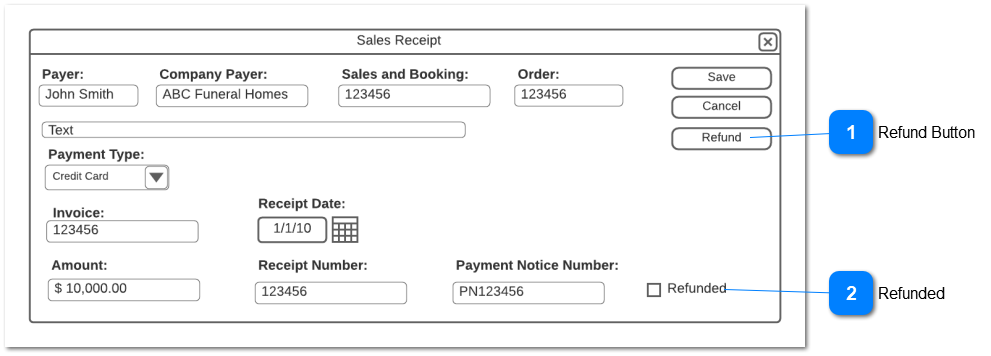
Refund Button
Will process a refund for a payment received through an opuspay transaction
Type
Notes
Rules
Compulsory
Format
Edit
Size
Default
Error Message
Button
Only activate this button if:
a payment transaction for this receipt was successfully processed through opuspay
no refund has already been processed for this receipt - the Refunded field must be False
The user has access rights to this function
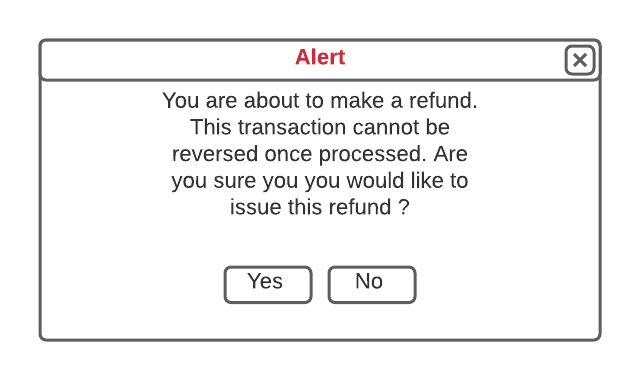
If selected, pop-up the refund alert
Follow the pop-up button rules
Y
N
From the related payment notice record
Refund Alert Pop-UP
Type
Notes
Rules
Compulsory
Format
Edit
Size
Default
Error Message
Pop-Up
No Selected
close the pop-up and return the user to the Sales Receipt in Edit mode
Yes Selected
Call opuspay and pass the merchant, transaction token and refund values
The same payment method and credentials used for the original payment will be used for the refund
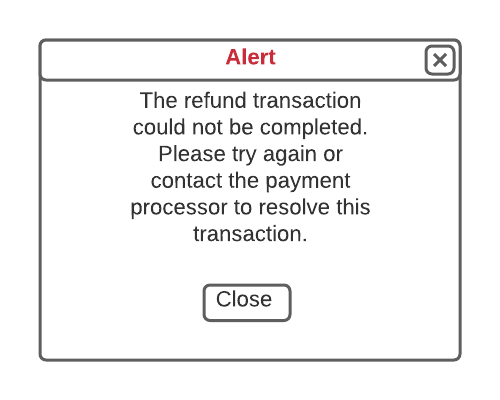
If the opuspay responds that the transaction failed, then pop-up the failure alert and follow the alert button rules.
Receive the confirmation of the refund from opuspay
Create a negative Sales Receipt transaction in byondpro
Number the negative receipt as RFXXXXX with the next sequential number
Mark the original receipt transaction as "Refunded"
Return the user to the Sales Receipt in view mode
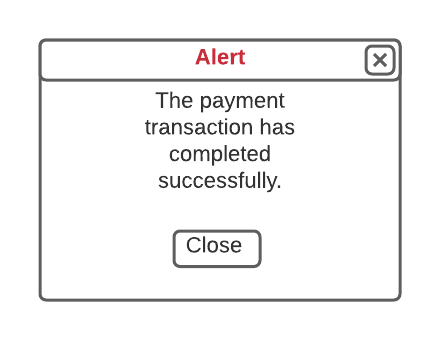
Pop up the success alert and follow the button rules
Refund Failure Alert Pop-UP
Type
Notes
Rules
Compulsory
Format
Edit
Size
Default
Error Message
Pop-Up
When the Close button is selected, close the pop-up and return the user to the Sales Receipt in view mode.
Refund Success Alert Pop-UP
Type
Notes
Rules
Compulsory
Format
Edit
Size
Default
Error Message
Pop-Up
When the Close button is selected, close the pop-up and return the user to the Sales Receipt in View mode
Refunded
Shows if a refund has already been processed against this receipt
Type
Notes
Rules
Compulsory
Format
Edit
Size
Default
Error Message
CheckBox
If a refund is successfully processed against this receipt, then make this checkbox True
N
False
Payment data to be stored with the receipt and refund transactions
The following data is to be stored with the Sales Receipt and Negative Sale Receipt transactions on payment success where the Payment Type is assigned to an opuspay payment method:
opuspay Token ID
Transaction date
Transaction time
Gateway Token ID
Gateway used
Gateway method used
Card Reader ID
Workflows