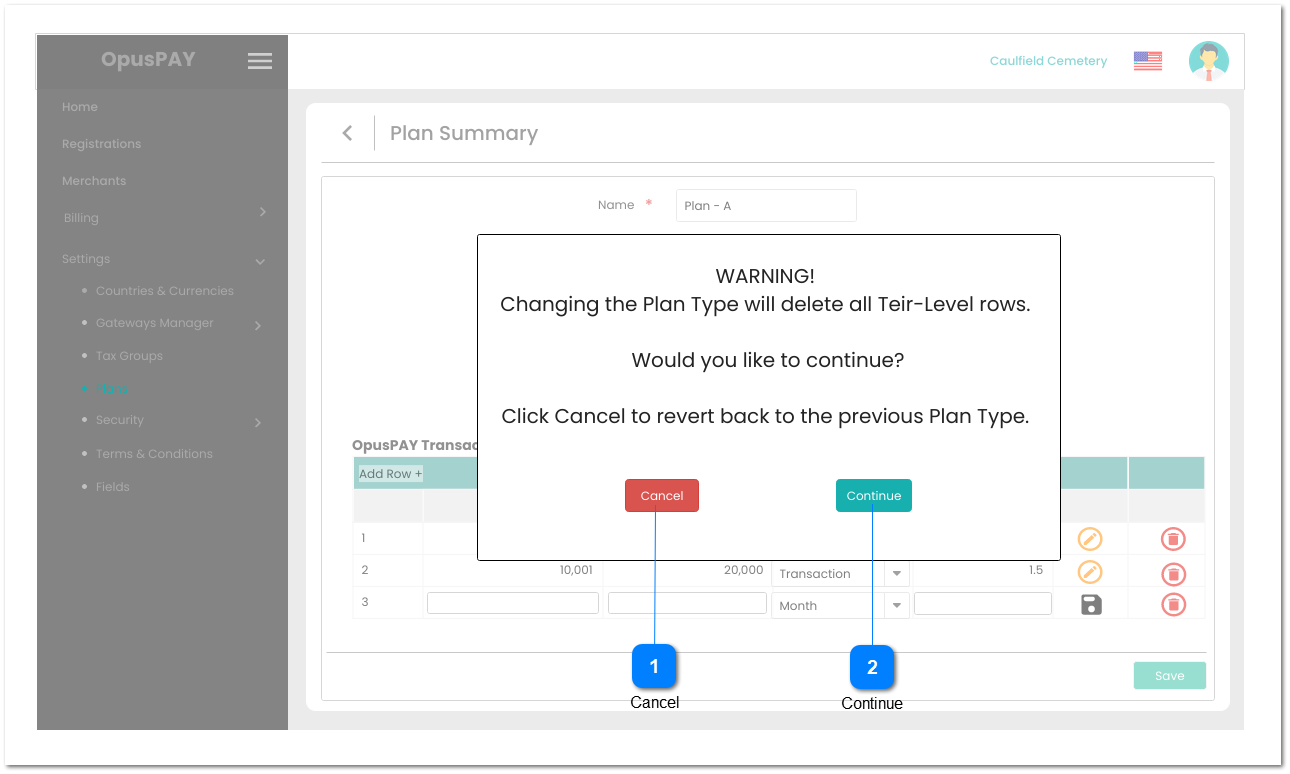
Plan Summary - Edit Plan Type
 Cancel
|
Type
|
Notes
|
Rules
|
Compulsory
|
Format
|
Edit
|
Size
|
Default
|
Error Message
|
|
Button
|
|
1. Allows the user to cancel switching of Plan Type and reverts the Plan Type back to original setting.
2. Navigates the user back to the Plan Summary - Edit screen. Refer to the specifications for that screen here:
|
-
|
-
|
Y
|
-
|
-
|
-
| |
|
 Continue
|
Type
|
Notes
|
Rules
|
Compulsory
|
Format
|
Edit
|
Size
|
Default
|
Error Message
|
|
Button
|
|
1. Allows the user to continue switching the Plan Type.
2. Navigates the user back to the Plan Summary - Edit screen. Refer to the specifications for that screen here:
3. Delete all Tier-Level rows and switch the transaction table to match the Plan Type selected.
|
-
|
-
|
Y
|
-
|
-
|
-
| |
|