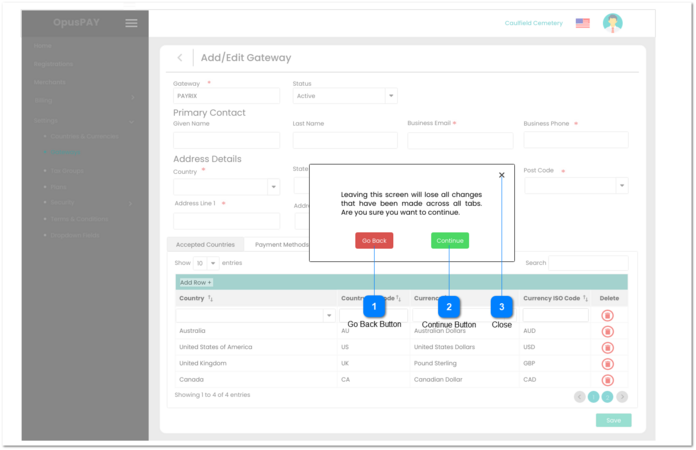
This modal appears when the user clicks on the Back button from the Gateway Summary screen after clicking on the Edit button. Refer to the specification for that screen here.
Go Back Button
Type
Notes
Rules
Compulsory
Format
Edit
Size
Default
Error Message
Button
-
1. This will navigate the user to the Gateways screen when clicked. Any changes made on the Gateway Summary screen will be lost.
1. This will close the modal window and navigate the user back to the Gateways Summary screen when clicked. Allowing them to save any changes that were made.
1. This will close the modal window and navigate the user back to the Gateways Summary screen when clicked. Allowing them to save any changes that were made.