Save Confirmation Message
 Icon
|
Type
|
Notes
|
Rules
|
Compulsory
|
Format
|
Edit
|
Size
|
Default
|
Error Message
|
|
Icon
|
-
|
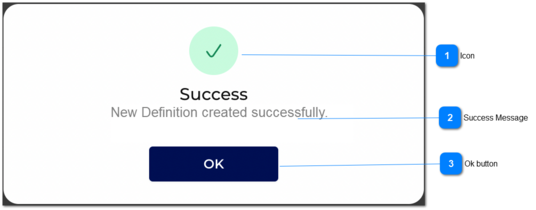
1. Once the user clicks on save button and if the all validations comply, then the success message will popup.
2. The success icon will be displayed as per the image.
|
-
|
-
|
-
|
-
|
-
|
-
| |
|
 Success Message
|
Type
|
Notes
|
Rules
|
Compulsory
|
Format
|
Edit
|
Size
|
Default
|
Error Message
|
|
text
|
-
|
1. There should be a success message displayed.
|
-
|
-
|
-
|
-
|
-
|
'Success
New Definition created successfully'
| |
|
 Ok button
|
Type
|
Notes
|
Rules
|
Compulsory
|
Format
|
Edit
|
Size
|
Default
|
Error Message
|
|
Button
|
-
|
1. Once the user clicks on OK button, then the POP UP will be closed.
|
-
|
-
|
-
|
-
|
-
|
-
| |
|