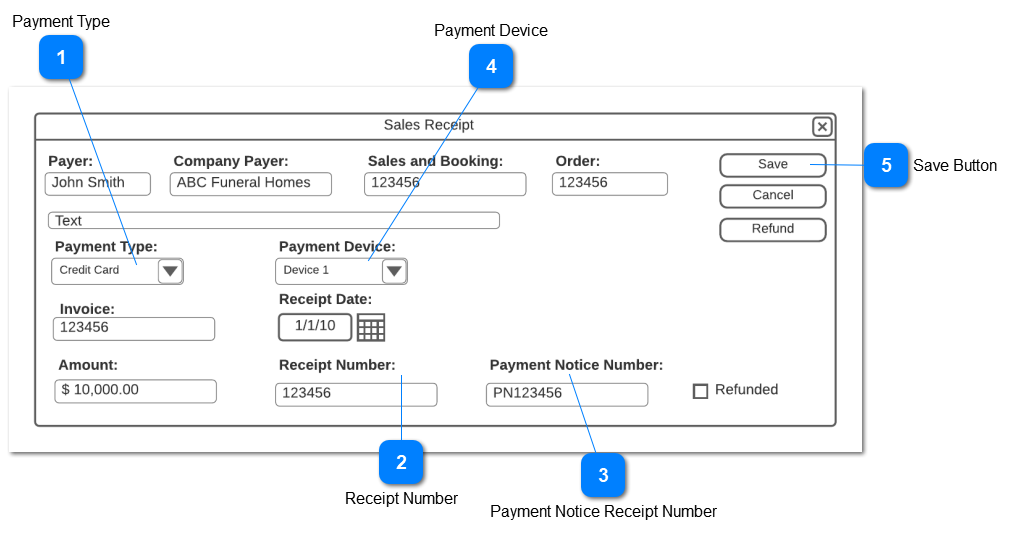
2. If a Receipt Type is linked to an opuspay Method of a Merchant with a status of "On-Hold", this Receipt Type should not be included in the list of options available.
If the payment type selected is linked to the 'Card Not Present' payment method, AND the Save button is clicked, the opuspay secure payment form should be launched for third party payment.
3a. It should be noted that the payment type will need to be named 'Call In Payment' to imply the functionality of this enhancement, during implementation.
The receipt number generated by the system for the sales receipt
Type
Notes
Rules
Compulsory
Format
Edit
Size
Default
Error Message
TextBox
For card present transactions, this receipt number will be generated on Save/ Process
If the payment is not approved by the gateway, then the receipt number should be discarded and placed back into the pool for use by the next sales receipt
If the card present transaction is approved by the gateway, then save the receipt number with the Sales Receipt transaction
For card not present transactions this field will be updated when the receipt is automatically created by the payment transaction
Saves the receipt and executes the payment workflow.
Type
Notes
Rules
Compulsory
Format
Edit
Size
Default
Error Message
Button
Change the name of the button to "Process Payment"
Run all validations
If the validations pass then save the transaction and follow the Sales Receipt Workflow
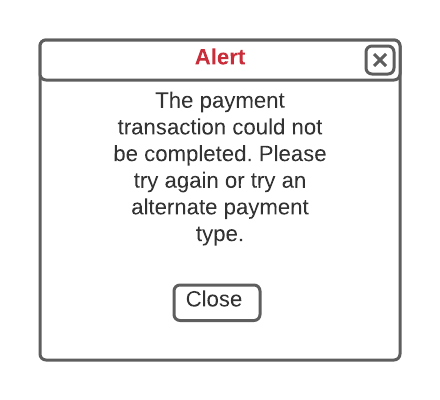
If the payment response from opuspay is "failed" then pop-up the failure alert
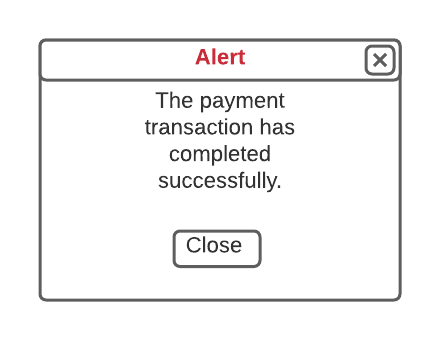
If the payment response from opuspay is "success" then pop-up the success alert
If If the payment type selected is linked to the 'Card Not Present' payment method, then clicking on the Save button should pass the merchant credentials and the required data for the payment transaction to be processed AND launch the opuspay secure payment form (Refer workflow)
When the Close button is selected, close the pop-up and return the user to the Sales Receipt in Edit mode
Success Alert Pop-UP
Type
Notes
Rules
Compulsory
Format
Edit
Size
Default
Error Message
Pop-Up
When the Close button is selected, close the pop-up and return the user to the Sales Receipt in View mode
Payment data to be stored with the receipt and refund transactions
The following data is to be stored with the Sales Receipt and Negative Sale Receipt transactions on payment success where the Payment Type is assigned to an opuspay payment method: