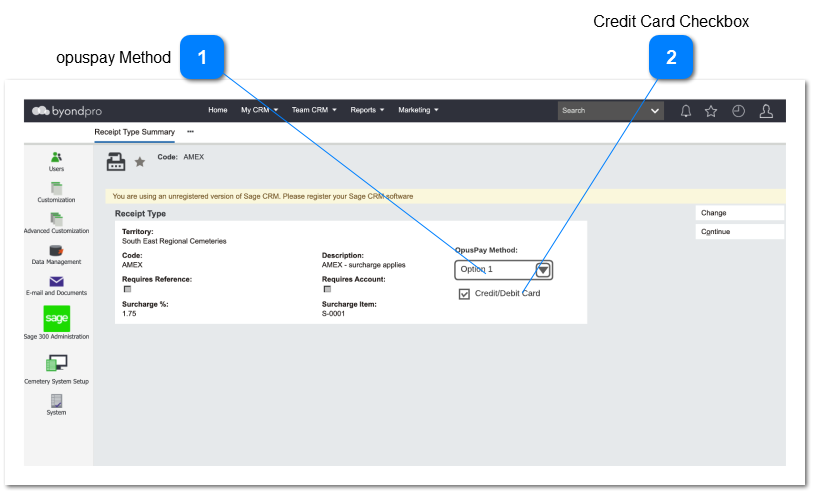
Assigns an opuspay Payment Method to the byondpro Receipt Type
Type
Notes
Rules
Compulsory
Format
Edit
Size
Default
Error Message
ComboBox
If the byondpro instance is not registered with opuspay then grey out this combobox and do not perform validations on this field.
Call the opuspay API and display a list of all the payment methods setup across all gateways for a site, by the merchant in opuspay. Display three columns in the combobox list being:
Gateway Name
Payment Method
Status
2a. The gateway column should list all the gateways against which each payment method has been activated.
Eg.
Gateway Name
Payment Method
Status
Payrix, Swipe, Amazon Pay, Paypal
Credit Card
Active
Swipe
Debit Card
Active
Allow for a single selection from the dropdown list
An opuspay Payment Method may only be assigned to a single byondpro Receipt Type
Allow for the selection of a "None" option. This will mean that no opuspay Method is assigned to the Receipt Type
N
Y
Empty
4. This payment method is already in use by another Receipt Type for the same Territory.