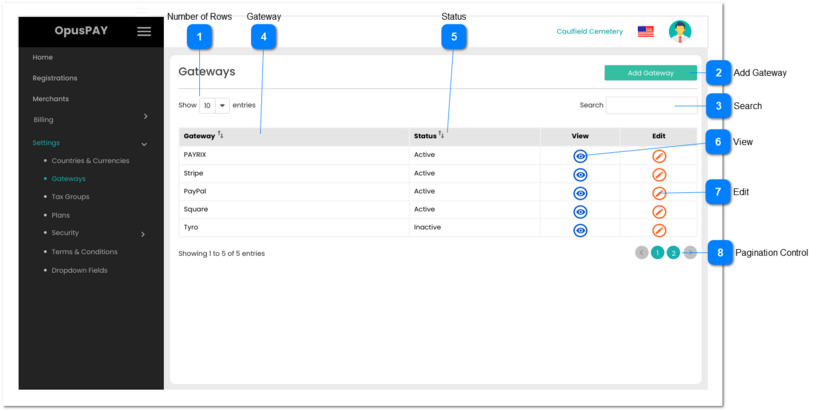
1. Filters the grid by matching the input entered by the user across the "Gateway" and "Status" grid columns.
2. Filter results based on each character entered. For example:
if "s" is entered, only the second, and fourth rows in the on screen example will be displayed. This is based on both "Stripe" and "Square" within the Gateway column.
If "sq" is entered only the fourth row in the on screen example will be displayed based on "Square" in the Gateway column.
1. When clicked, this will display the Gateway Summary screen and follow the rules as per the Edit button on that screen (control #15). Refer to the specification for that screen here.