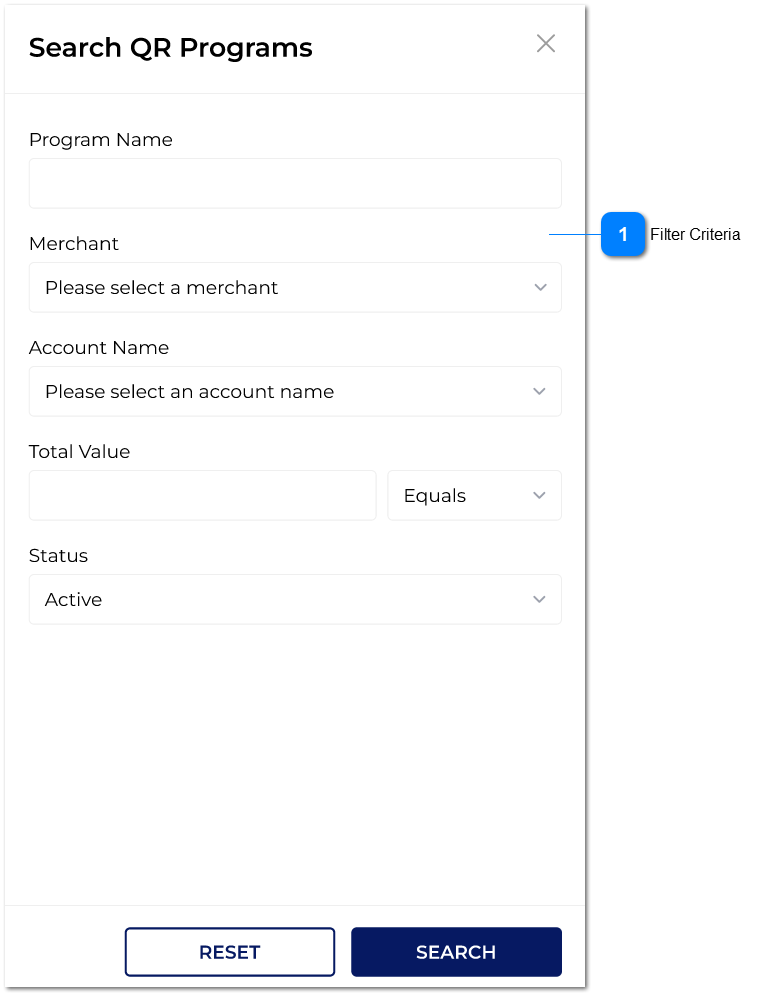
Filter Criteria
|
Type
|
Notes
|
Rules
|
Compulsory
|
Format
|
Edit
|
Size
|
Default
|
Error Message
|
|
Text-field
|
Program Name
|
The user can give the value here to search.
This is a wild card search.
|
-
|
-
|
-
|
-
|
-
|
-
|
|
Drop-down
|
Merchant
|
Available merchant for the logged account will be listed in the drop-down.
The user can select a one at a time.
|
-
|
-
|
-
|
-
|
-
|
-
|
|
Drop-down
|
Account Name
|
Accounts for the selected merchant will be coming to the drop-down.
|
-
|
-
|
-
|
-
|
-
|
-
|
|
Text-field
|
Total Value
|
Amount can be given in this section.
Next to it, there will be a drop-down with below values.
|
-
|
-
|
-
|
-
|
-
|
-
|
|
Drop-down
|
Program Status
|
In this drop-down, there are only two values:
|
-
|
-
|
-
|
-
|
-
|
-
| |
|