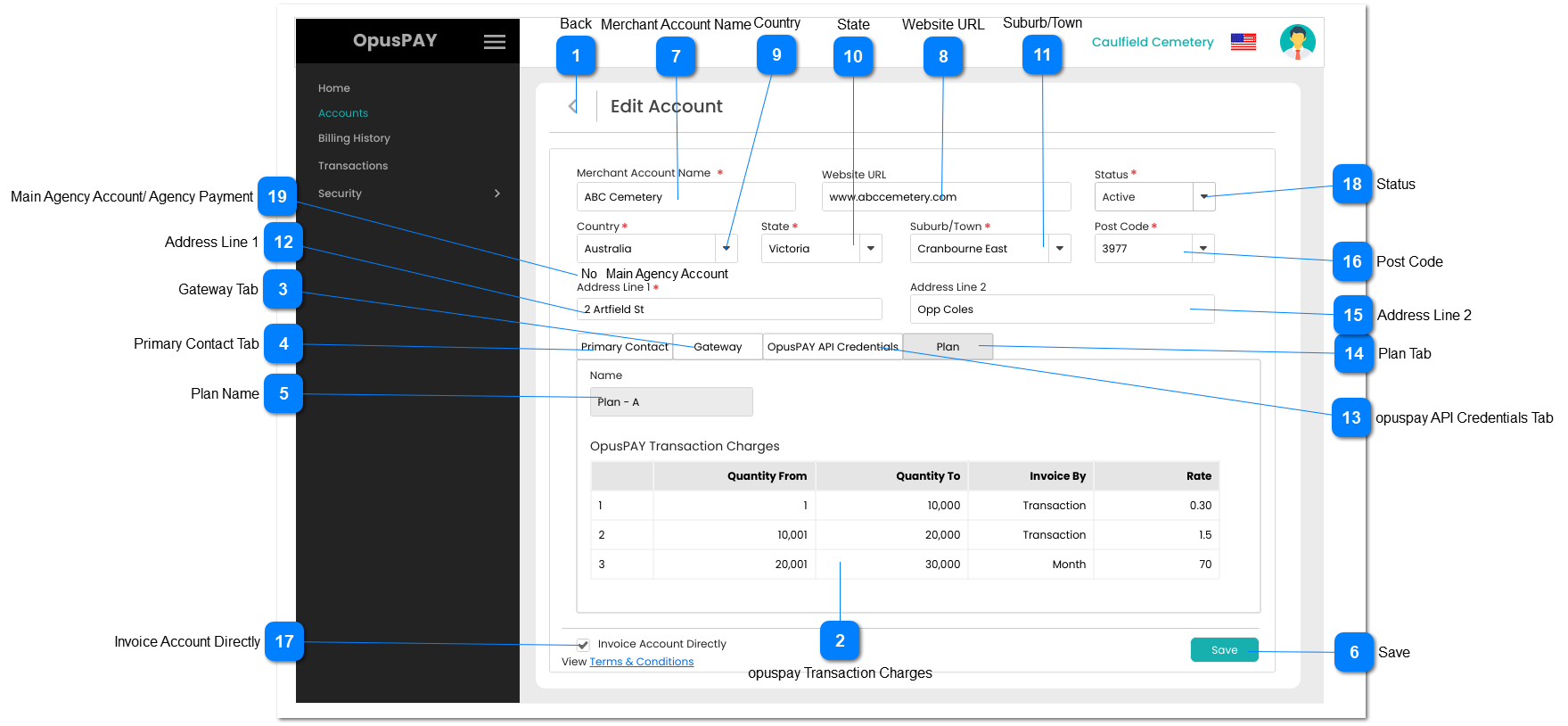
1. This should allow the user to select a Country. List of available countries comes from the Countries & Currencies list set in the Admin Portal. Refer to the specifications for that screen here.
2. Use the same Address Component and logic as per byondcloud registration page.
3. This should display an inline error message if the user clicks the Submit button without populating this field.
1. This should display the status of the Account (Active or Inactive). If the Account is Active, it is able to pass transactions through opuspay. If Inactive, the Account cannot pass transactions through opuspay.
2. If the user changes the Status from Active to Inactive for a Parent Account, all Sub Accounts that are set to "Invoice Account Directly" = "False" and/or where the Gateway is set to "Link to the Parent Entity's gateway account", set the Sub Account to Inactive as well.
byondpro should also be updated to show that the merchant account is inactive (which would display as On-Hold in byondpro).
3. If the Parent Merchant Account has been set to Inactive from the Admin Portal, all Sub Accounts must be set to Inactive as well and neither the Parent or Sub Accounts can be set to Active. They can only be activated from the Admin portal again.
Note: If the parent account = yes, then 'Main Agency Account' would display
Text
This value can be come in two different ways.
1. At new merchant registration in opuspay.
2. Enabling agency payment for existing merchant through edit merchant.
1. If main agency account is YES, then this account would act as an agent and its sub account would inherits its payment gateways which are compatible for the sub account accepted countries.
2. If main agency account is NO, then this account would not act as an agent.
N
-
Y
-
-
-
Agency Payment
Note: If the parent account = No, then ' Agency Payment' would display
Text
1. If the sub account have agency payment then 'Agency Payment' value would be Yes.
1A. If the sub account have not agency payment then 'Agency Payment' value would be No.
2. This value come via follwoings:
A. Ethier admin needs to give Main ageny account fucntioanlity to the parent account of the sub account via registration module.
B. Or the admin needs to give Main agency account functionality to parent account via manage merchant account module, then sub account would inherit agency payment.