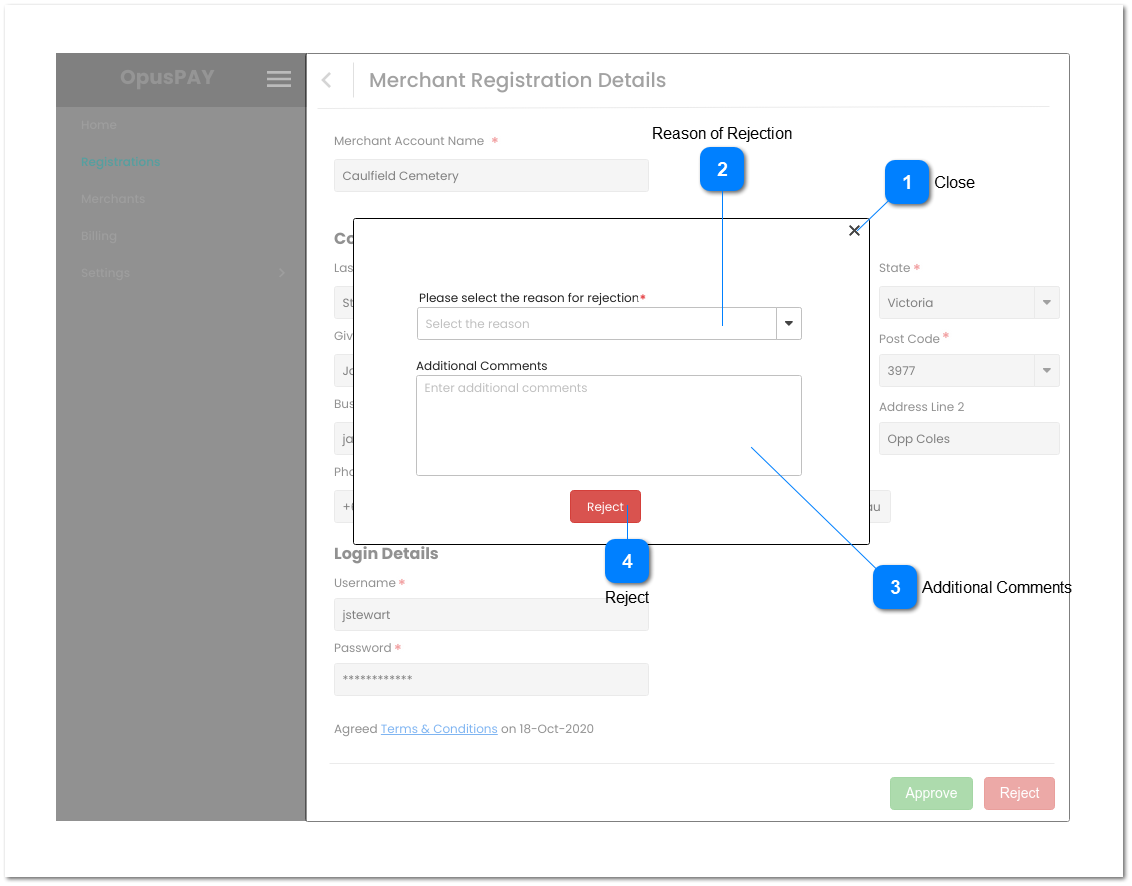
This modal allows the user to select the reason for rejection and provide additional comments to describe the reason for rejection in more detail, if desired.
Close
Type
Notes
Rules
Compulsory
Format
Edit
Size
Default
Error Message
Button
-
1. Close the modal and cancel the rejection action when clicked. The user sees the Merchant Registration Details screen when closed. Refer to the specification for the screen here.
1. This should be disabled and greyed out until a reason for rejection is selected.
2. This should update the Merchant status to 'Rejected'.
3. If the merchant has a byondcloud account, send Registration Status of "Rejected" to byondcloud.
4. If the merchant has a byondpro account, send Registration Status of "Rejected" to byondpro.
5. This should send a 'your registration was rejected' email to the merchant user advising them their registration is rejected. Refer to the email body content here.