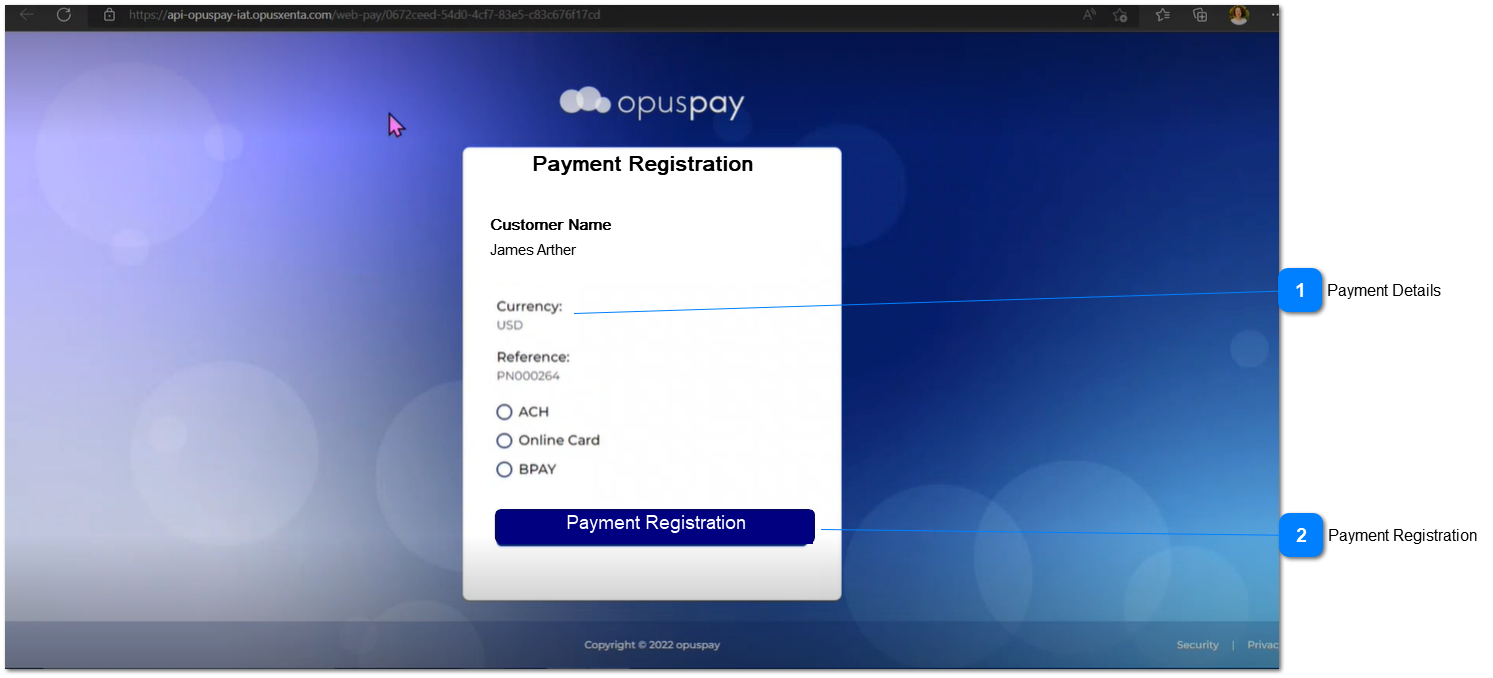
Payment Plan Registration
 Payment Details
|
Type
|
Notes
|
Rules
|
Compulsory
|
Format
|
Edit
|
Size
|
Default
|
Error Message
|
|
Text
|
-
|
Below payment details would be captured.
|
-
|
-
|
-
|
-
|
-
|
-
| |
|
 Payment Registration
|
Type
|
Notes
|
Rules
|
Compulsory
|
Format
|
Edit
|
Size
|
Default
|
Error Message
|
|
Button
|
-
|
1. Once the button is clicked, it would load the gateway screen and fill the customer details.
2.a If the registration is successful then an informative message would display.
2.b. If the registration fails then an informative message would display.
|
-
|
-
|
-
|
-
|
-
|
2a. You have successfully registered for the payment plan.
2b. Payment Plan Registration Failed. Please retry payment plan registration.
| |
|