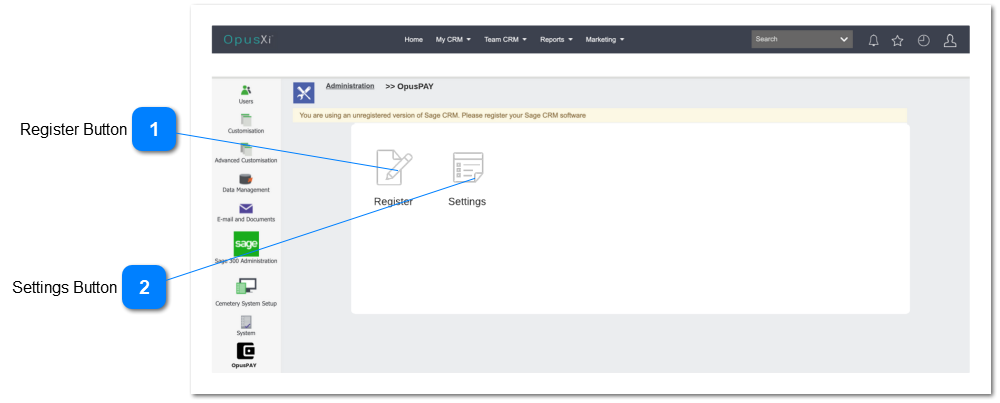
opuspay Administration Functions
These functions are used for the registration and setup of the customer and byondpro for opuspay.
 Register ButtonAllows the byondpro customer to register with opuspay
|
Type
|
Notes
|
Rules
|
Compulsory
|
Format
|
Edit
|
Size
|
Default
|
Error Message
|
|
Button
|
Please see the registration form specification here
|
-
Launch the opuspay registration form within a secure iFrame.
-
If the customer is already registered, then gray out this button
|
|
|
|
|
|
|
|
|
 Settings ButtonShow the settings for opuspay
|
Type
|
Notes
|
Rules
|
Compulsory
|
Format
|
Edit
|
Size
|
Default
|
Error Message
|
|
Button
|
|
-
Open the opuspay settings UI
|
|
|
|
|
Enabled
|
|
|
|